BeagleBoard Imaging Utility
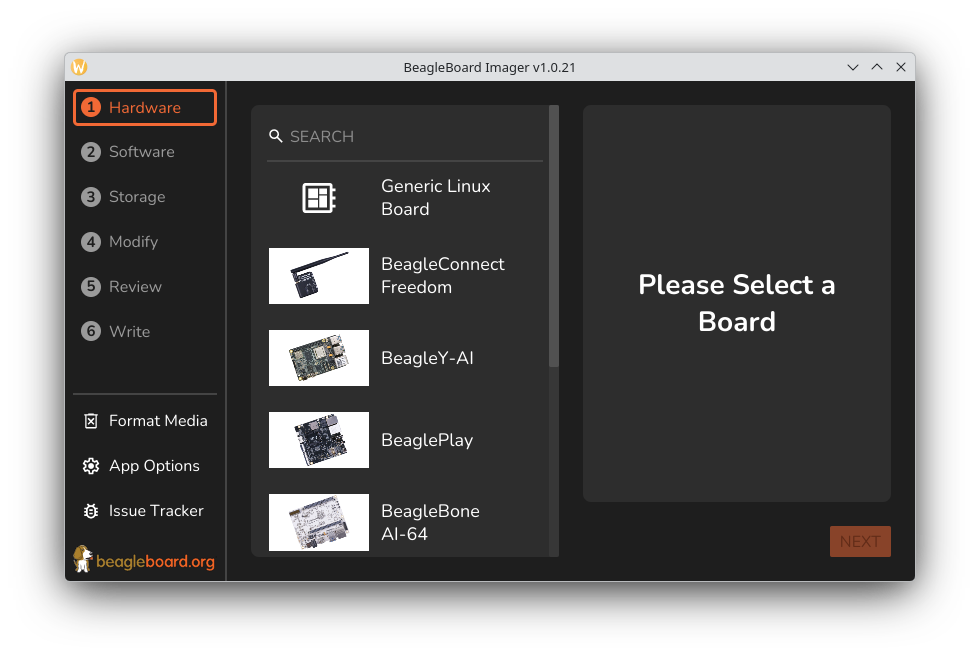
The BeagleBoard Imaging Utility (bb-imager) is the official BeagleBoard.org tool for getting an operating system onto your board. Pick your board, pick an image, pick your SD card. It downloads, customizes, and writes the image for you. It runs on Linux, Windows, and macOS.
Start Here
New to BeagleBoard? Use the GUI
-
Install the application: Flatpak, Snap, AppImage, Windows installer, or macOS disk image.
-
Flash your first board: a step-by-step walkthrough with screenshots.
Prefer the terminal or need automation? Use the CLI
-
Install the CLI:
cargo binstall bb-imager-cli,cargo install, or prebuilt binaries. -
Use the CLI: flash SD cards, customize images, and flash serial/DFU targets.
Want to contribute?
-
Set up a development environment and learn the codebase layout.
-
Read the Contributing Guide before opening a pull request.
-
Packaging for a distribution? See Packaging Instructions for BeagleBoard Imaging Utility.
Reference
-
Supported Hardware: which boards are supported and how each is flashed.
-
Troubleshooting: log files, missing drives, permissions, and how to report a bug.
About
bb-imager works for new users and experienced developers alike. It handles device detection and image downloads, and guards against writing to the wrong disk.
Beyond writing images, it can pre-configure supported operating systems before first boot: user account, hostname, Wi-Fi, timezone, keyboard layout, and SSH key. A board can then come up ready to use without a monitor or keyboard.
It is written in Rust and plays a similar role to other popular imaging tools, but is tailored to BeagleBoard hardware and the operating systems BeagleBoard.org recommends.